
How to Choose: zapier, make.com, n8n or custom AI Workflows?
Most teams looking at workflow automation are not chasing novelty. They want fewer manual steps, fewer mistakes, and systems that do not fall over the moment something changes.


Make.com, n8n, or Custom AI Workflows: How to Choose
Most teams looking at workflow automation are not chasing novelty. They want fewer manual steps, fewer mistakes, and systems that do not fall over the moment something changes. Tools like Make.com and n8n promise speed. Custom AI workflows promise control. None of them are a default choice.
The right option depends less on features and more on how much complexity you actually need to own.
What Make.com is good at

Make.com works best when the workflow is clear and the edge cases are limited. It shines in situations where data moves between known tools like CRMs, email platforms, databases, and spreadsheets. The visual builder makes it easy to see what happens and in what order. Non developers can usually follow the logic.
The trade off is flexibility. Once logic becomes conditional, branching heavily, or dependent on external context, scenarios can get fragile. Debugging large automations is possible, but rarely pleasant. You are also tied to Make.com’s execution model, pricing structure, and platform limits.
Make.com is a solid choice when speed matters more than ownership, and when the workflow is unlikely to evolve into something more complex.
Where Zapier makes sense
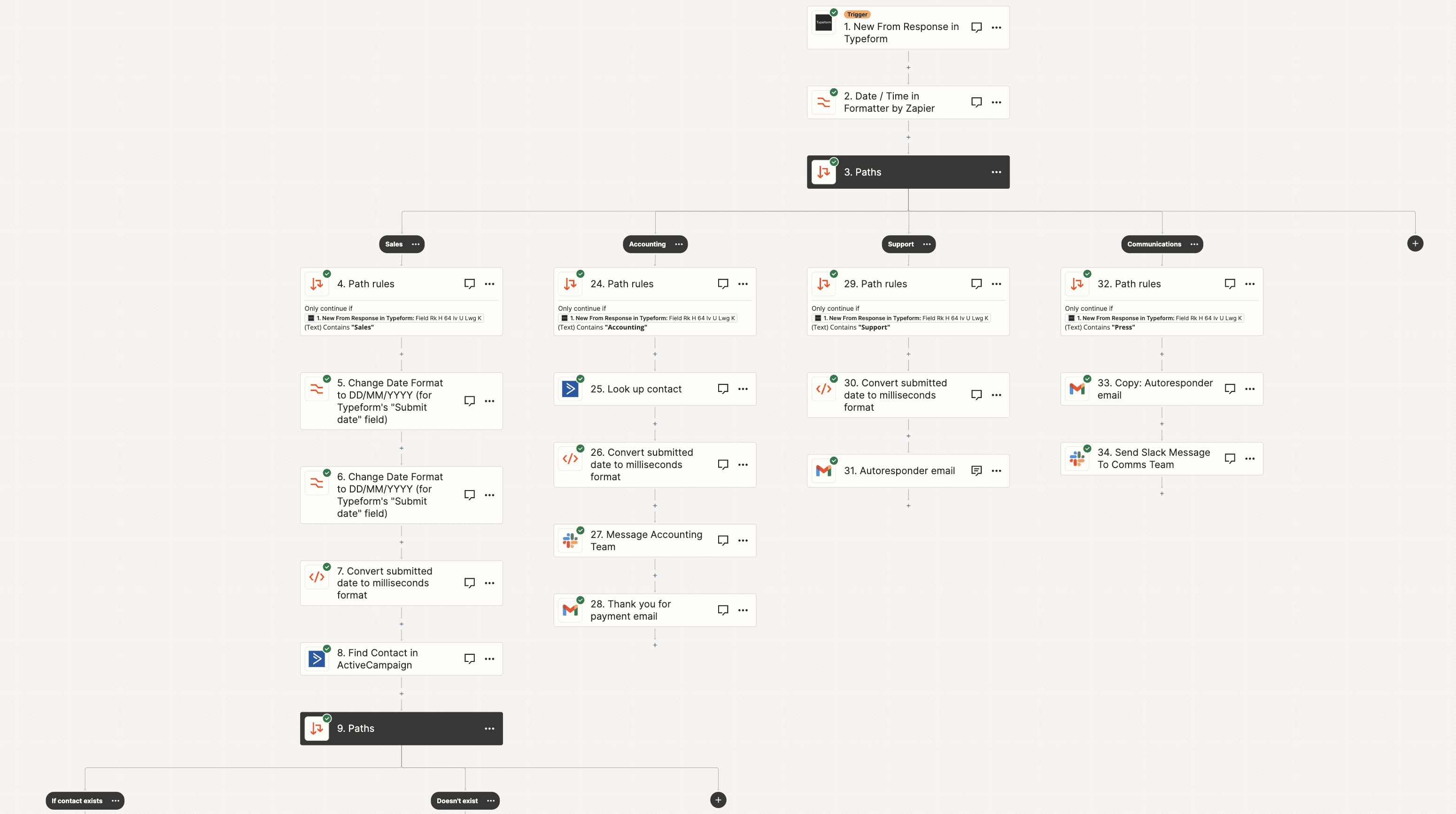
Zapier is designed for straightforward automation between common SaaS tools. Triggers and actions are easy to set up, and the learning curve is minimal. For simple workflows like syncing contacts, sending notifications, or updating records across systems, it works well.
The limitations show up quickly once logic becomes non linear. Conditional paths are basic. Error handling is limited. Costs can escalate as task volume grows, especially when workflows run frequently or loop over data.
Zapier is best when the goal is quick wins with minimal setup, and when the automation is unlikely to grow beyond a few steps.
Where n8n fits better
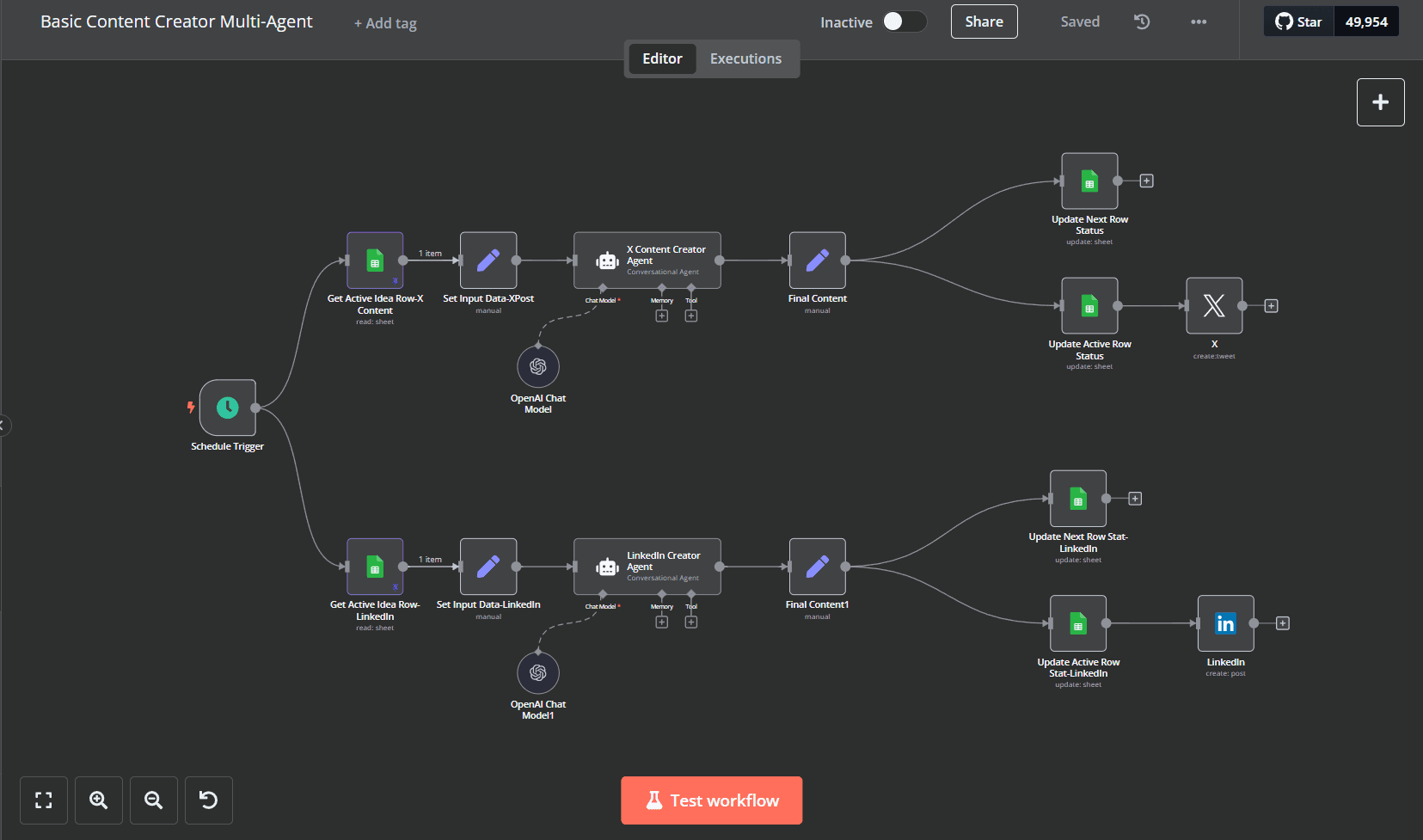
n8n sits between no code tools and fully custom systems. It offers a visual editor but allows custom code where needed. You can self host it or use their cloud offering, which changes the cost and control equation.
n8n is better suited to teams that expect workflows to grow over time. If you need branching logic, retries, error handling, or integration with internal services, n8n handles this more gracefully than most no code platforms.
The downside is maintenance. Self hosting means you own uptime, updates, and security. Even on the hosted version, you still need someone comfortable thinking like an engineer. It is not a tool you can fully hand off to a non technical team without guardrails.
When custom AI workflows make sense
Custom AI workflows are not about automation alone. They are about decision making, context, and behavior that changes based on data, history, or user input. This might include document understanding, multi step reasoning, or interactions across several systems where the logic cannot be neatly represented in a visual flow.
The benefit is control. You decide how data is processed, how models are used, and how errors are handled. You are not constrained by a platform’s abstractions. Performance, security, and cost can be tuned to your needs.
The cost is obvious. Custom systems take longer to build and require ongoing engineering effort. They are harder to change quickly unless they are designed well from the start. For simple integrations, this approach is usually overkill.
Choosing based on real constraints
A useful way to decide is to look at what will break first.
If your biggest risk is speed and internal adoption, Make.com is often enough.
If your biggest risk is workflow complexity and future changes, n8n is usually safer.
If your biggest risk is incorrect decisions, data leakage, or limits imposed by a third party tool, a custom AI workflow is often justified.
Many teams also combine these approaches. A custom AI service can handle the reasoning, while Make.com or n8n handles orchestration around it. This reduces build time without locking core logic into a platform.
There is no clean ladder from no code to custom. The right choice is the one that matches how much logic you need, how often it will change, and how much control you are willing to own.